

Documentation Index
Fetch the complete documentation index at: https://hc.starbridge.ai/llms.txt
Use this file to discover all available pages before exploring further.
- Buyer Bridge (competitor presence)
- Purchases & contracts bridge
If your goal is to understand, for each buyer in your addressable market, what competitor they may work with (and at what price), create a Buyer Bridge and add a competitor presence column:
Criteria
The purchases tab is where you can explore purchases and create a bridge.Search using OR statements
List your search criteria as a list of company names separated by
OR statements, e.g. Opengov or Euna Solutions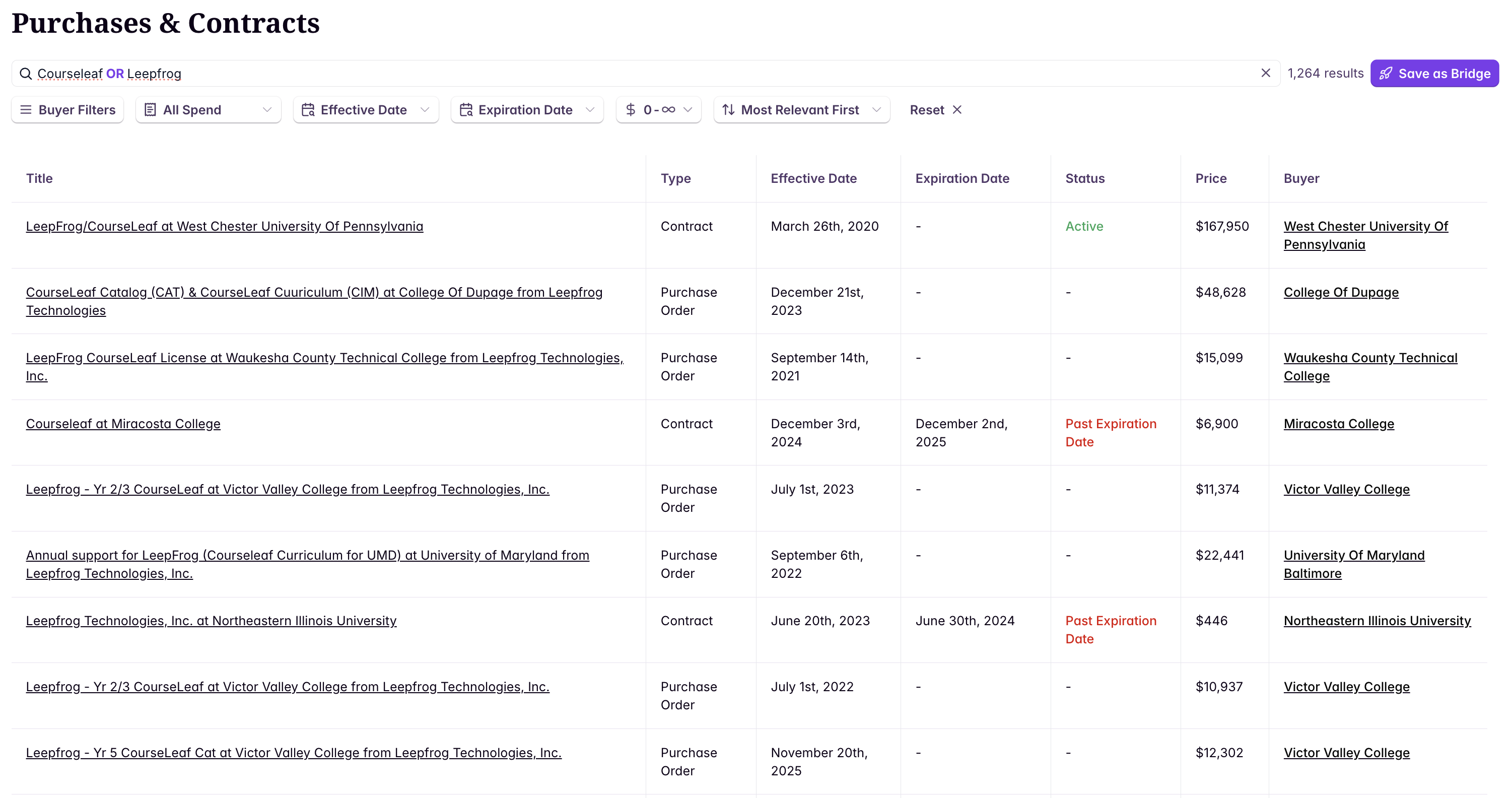
Identify a competitor’s contract expiration dates (use case)
Example workflow for building a view you can use to drive outbound.