

Documentation Index
Fetch the complete documentation index at: https://hc.starbridge.ai/llms.txt
Use this file to discover all available pages before exploring further.
Add your organization profile
Starbridge uses your organization profile to write sharper, more on-brand content. That affects everything from outbound emails to RFP responses.Go to Settings → Organization and fill in: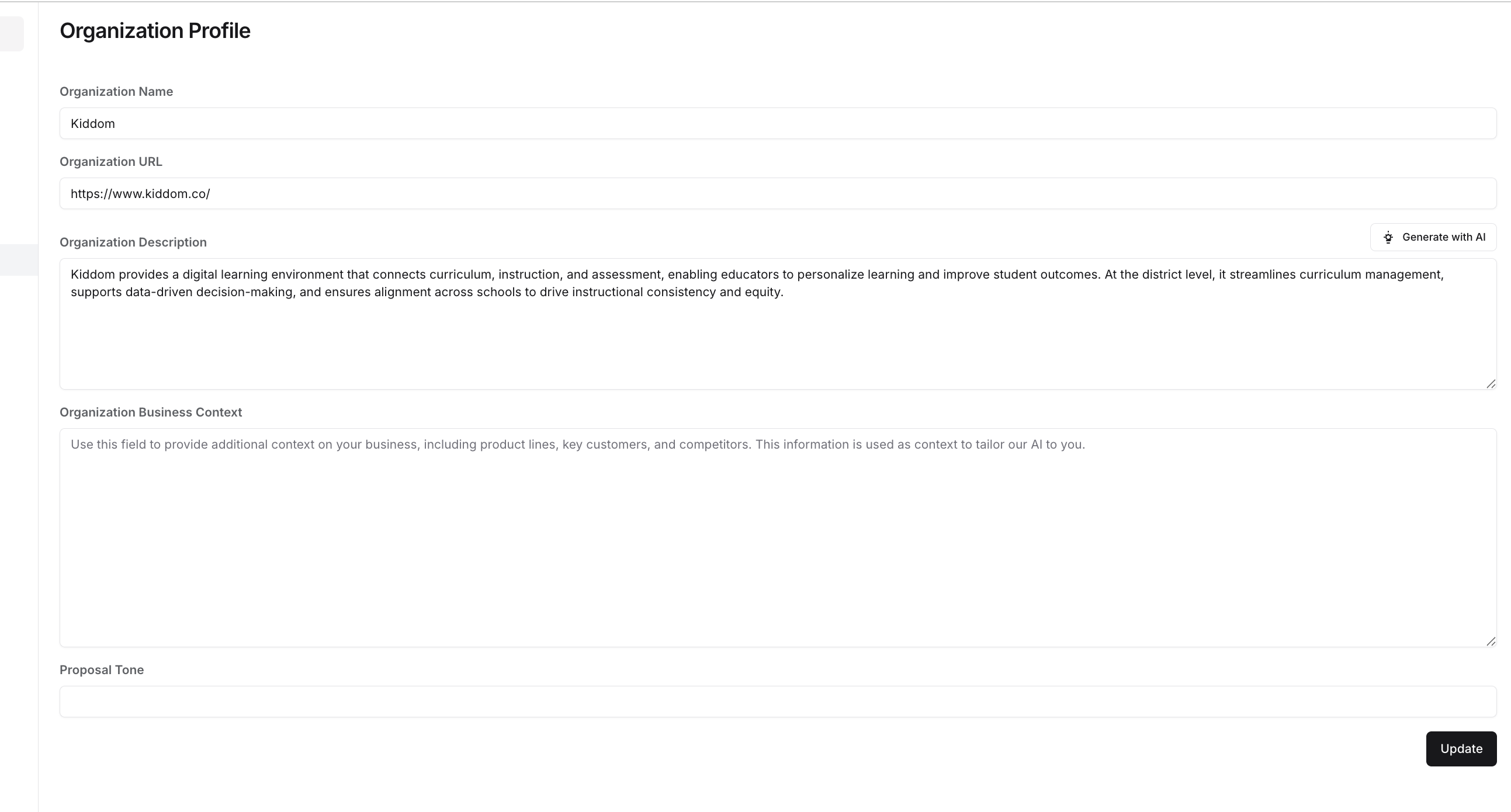
- Organization Description: a short (2–3 sentence) description of what your business does
- Organization Business Context: a longer, detailed description of what you do and how you differentiate
Upload master accounts & territories
Create one master list of accounts/buyers you want to track, then set up each territory you want available for your reps. This will help you segment views and notifications later.Set up a Buyer List (Territories)
Import users, configure roles/teams, and set default territories (optional until go-live)
In general, you don’t need to add users until you have your main Bridge and feed subscriptions set up. If multiple people are working on setup—or you plan to go live quickly—add users now.Adding New Users, Configuring Roles and Teams, & Setting Territories