

Documentation Index
Fetch the complete documentation index at: https://hc.starbridge.ai/llms.txt
Use this file to discover all available pages before exploring further.
How Credits Work
Credits are used to meter consumption of certain web-based data in Starbridge. Each item is clearly labeled in Starbridge with its credit consumption amount.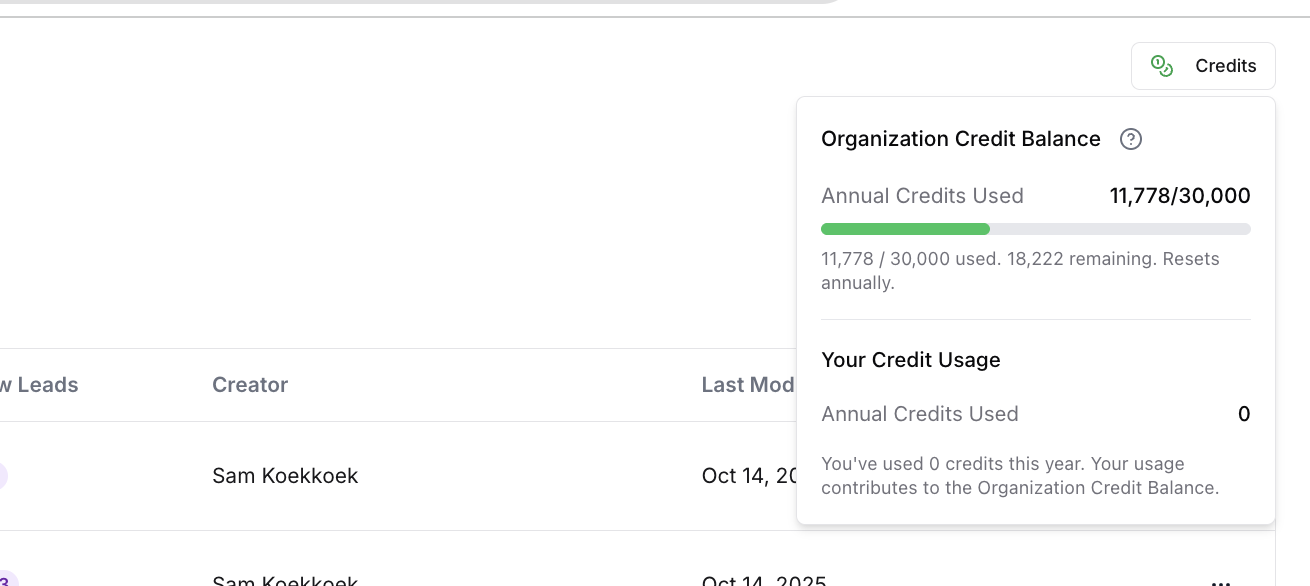
| Data Type | # of Credits Consumed | Notes |
|---|---|---|
| RFPs | FREE | |
| Meeting Minutes | FREE | |
| Strategic Plans | FREE | |
| Base Purchases & Contract Expirations | FREE | This is the date provided in the Starbridge platform by default. If you want to create further enrichment to get the underlying contract details & expirations of competitors, this would be a Custom FOIA request. |
| Buyer/Account Attributes (Budget Details, Enrollment, Population, SIS) | FREE | Note: all of the base data we collect is free, if you want to collect custom data, that would be a custom web agent which would consume credits. See all of that data here: Available Buyer Datapoints |
| AI Analysis (Email Generation, Email Snippets, Creating Account Scores, Summaries) | FREE | |
| Contacts | 2 credits per contact | This stays up to date with changes throughout the year and can sync with your CRM. |
| Job Changes | 2 credits per job change for a new contact | A new contact is one you’re enriching for the first time. You won’t be charged again for a contact you’ve previously enriched. |
| Custom Web Agent (e.g., job change web tracker, grants, news) | 1 credit per run (Core), 4 credits per run (Pro), 12 credits per run (Ultra). | You can rerun this on a cadence (within a bridge or with custom web agents). Each run consumes credits. |
| Custom FOIA Requests for Competitor Contracts, RFP Responses etc. | Custom Ask Your CSM |
Q&A
What are credits?
What are credits?
Why is Starbridge introducing credits?
Why is Starbridge introducing credits?
What features use credits?
What features use credits?
What features do not use credits?
What features do not use credits?
How many credits do I get?
How many credits do I get?
How can I see my credit balance?
How can I see my credit balance?
What happens if I go over the credit limit?
What happens if I go over the credit limit?
Do credits expire?
Do credits expire?
Can I control how credits are used by my team?
Can I control how credits are used by my team?
How much do more credits cost? What are my options?
How much do more credits cost? What are my options?
Who can I contact with questions?
Who can I contact with questions?
Usage Details
Credits only apply to web based requests within Starbridge. Usage is dependent on the action being conducted:Building a Contacts Bridge
Building a Contacts Bridge
- Each Contacts Bridge consumes 2 credits for every row within the bridge.
- Example use case: identifying key decision makers within a defined target market.
Building a Custom Web Signal Bridge
Building a Custom Web Signal Bridge
- Each Custom Web Signal Bridge consumes credits for every row within the bridge.
- Three models are available depending on request complexity:
- Core (1 credit per row)
- Pro (4 credits per row)
- Ultra (12 credits per row)
- Example use cases: recent leadership changes, legislative/regulatory changes.
Adding Web Agent or Contact columns to other bridges
Adding Web Agent or Contact columns to other bridges
- Each web agent column consumes credits for every row within the bridge (model-based pricing as above).
- Each contact column consumes 2 credits for every row within the bridge.
- Meeting bridges can source contacts from meeting content (non-web based), which does not use credits.
Example Scenarios
K12 demand gen: enrich superintendent contacts
K12 demand gen: enrich superintendent contacts
Goal: get contact information for all superintendents across all school districts in NY, NJ, PA, MA, CT, RI, VT, ME, NH.
Total credit usage: 4,000 school districts × 1 contact × 2 credits/contact = 8,000 credits (one-time)
Govtech BDR: use web agents for enrichment
Govtech BDR: use web agents for enrichment
Goal: use the web agent to enrich information about existing system usage and recent leadership job changes across cities and counties with relevant meeting signals.
Total credit usage: 750 meetings × 2 web-agent columns × 1 credit/column = 1,500 credits (one-time)
Higher Ed CFO: grant scan every 3 months
Higher Ed CFO: grant scan every 3 months
Goal: scan for schools that have received grants for technology funding every 3 months.
Total credit usage: 2,500 colleges × 1 credit/college × 4 reruns/year = 10,000 credits/year
EdTech marketing: enrich multiple titles per district
EdTech marketing: enrich multiple titles per district
Goal: get contact information for up to 5 contacts per district across titles like “Assistant Superintendent of Instruction”, “Assistant Superintendent of Curriculum”, “Chief Academic Officer”, “HR Director”, “HR Manager”.
Total credit usage: 4,000 school districts × 3 contacts returned per district (avg) × 2 credits/contact = 24,000 credits/year