

Starbridge’s Conferences feature helps you discover relevant government and education conferences, prioritize which ones to attend, and maximize ROI through intelligent lead list enrichment and personalized outreach.Documentation Index
Fetch the complete documentation index at: https://hc.starbridge.ai/llms.txt
Use this file to discover all available pages before exploring further.
What is the Conferences feature?
Conferences are a new signal type in Starbridge that allow you to:- Discover conferences relevant to your target personas and verticals
- Evaluate conference relevancy using automated scoring and detailed conference information
- Enrich lead lists from conference attendees with actionable insights
- Personalize outreach using conference-specific attributes and signal insights
Accessing Conferences in Starbridge
Conferences appear as a new data source under Signals in your Starbridge workspace.How to Access Conferences
- Navigate to Signals in the left sidebar.
- Select Conferences to view the full list of tracked conferences.
- Use filters to narrow down and find relevant conferences.
Search and Filter Options
You can filter conferences by:- Buyer Types - Filter by buyer types (e.g., K-12, Higher Ed)
- Expected Personas/Titles - Find conferences attended by specific personas & roles (e.g., CIO, CFO, Superintendent, VP Enrollment, Registrar)
- Expected Attendance - Filter by expected attendee count
- Start Date - Find all conferences with a start date within a certain time period
- Est. Attendance Cost Range - Estimated attendance cost per person
- Organizers - Find all conferences hosted by specific conference organizers
- Location - Filter by state
Conference Details Pages
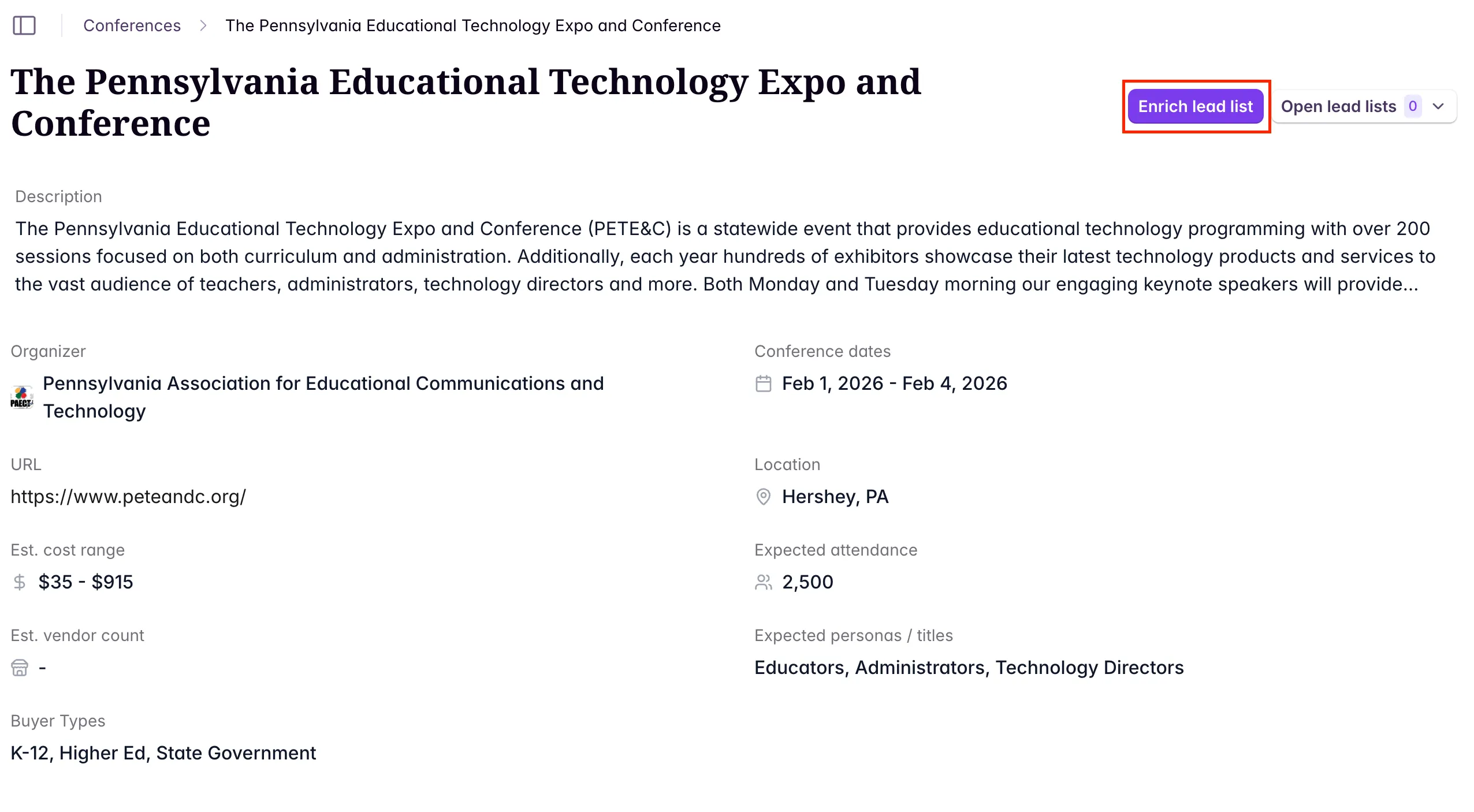
Click into any conference to view relevant conference information ranging from basic information (ex: conference organizer, dates, location) to information that can help you decide whether a conference is worth attending (expected attendance, estimated cost range, expected personas/titles, vendor list, estimated vendor count, etc.)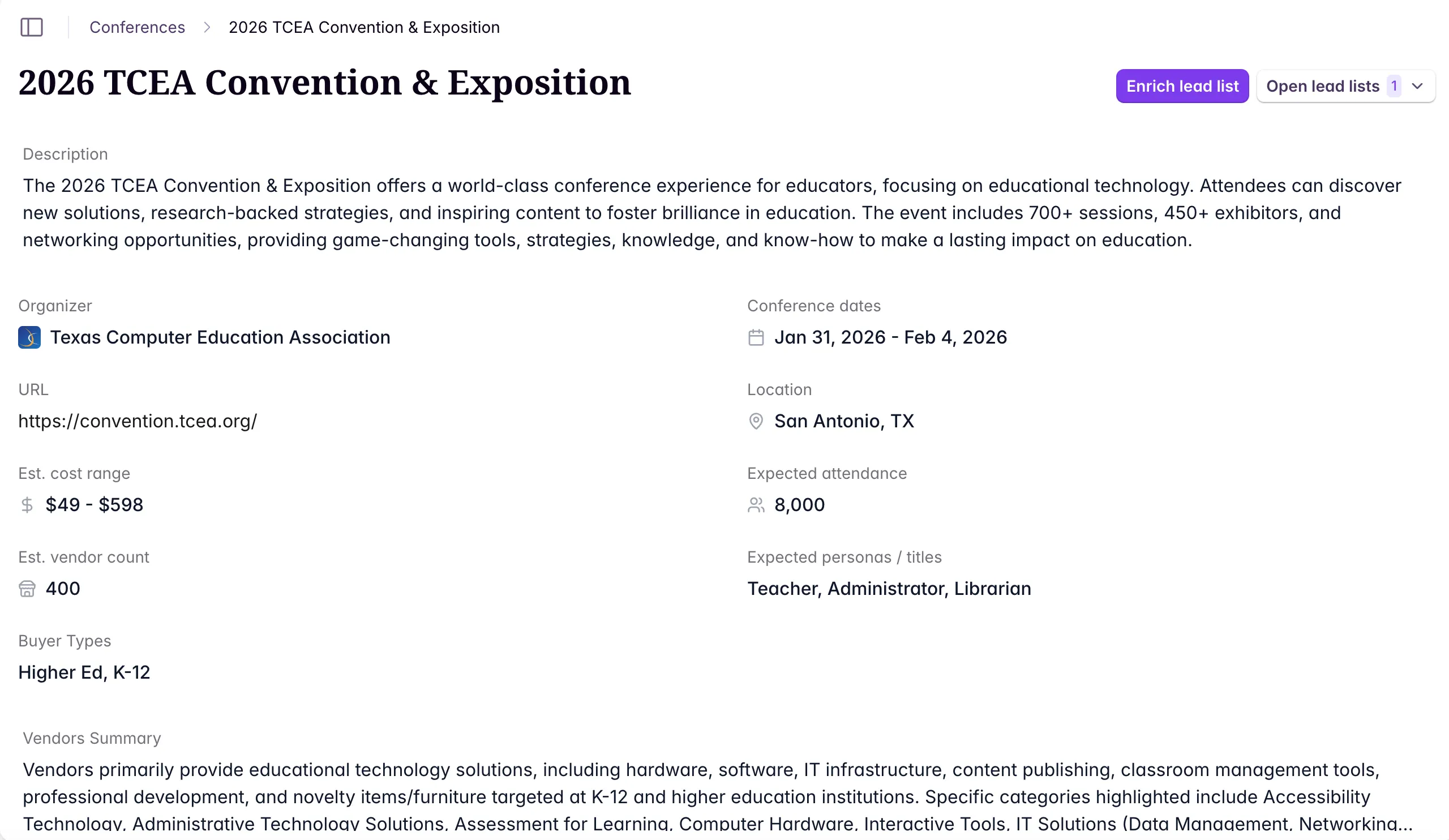
We update certain dynamic conference fields (ex: vendor list, estimated vendor count) periodically to ensure we have the most up-to-date information.
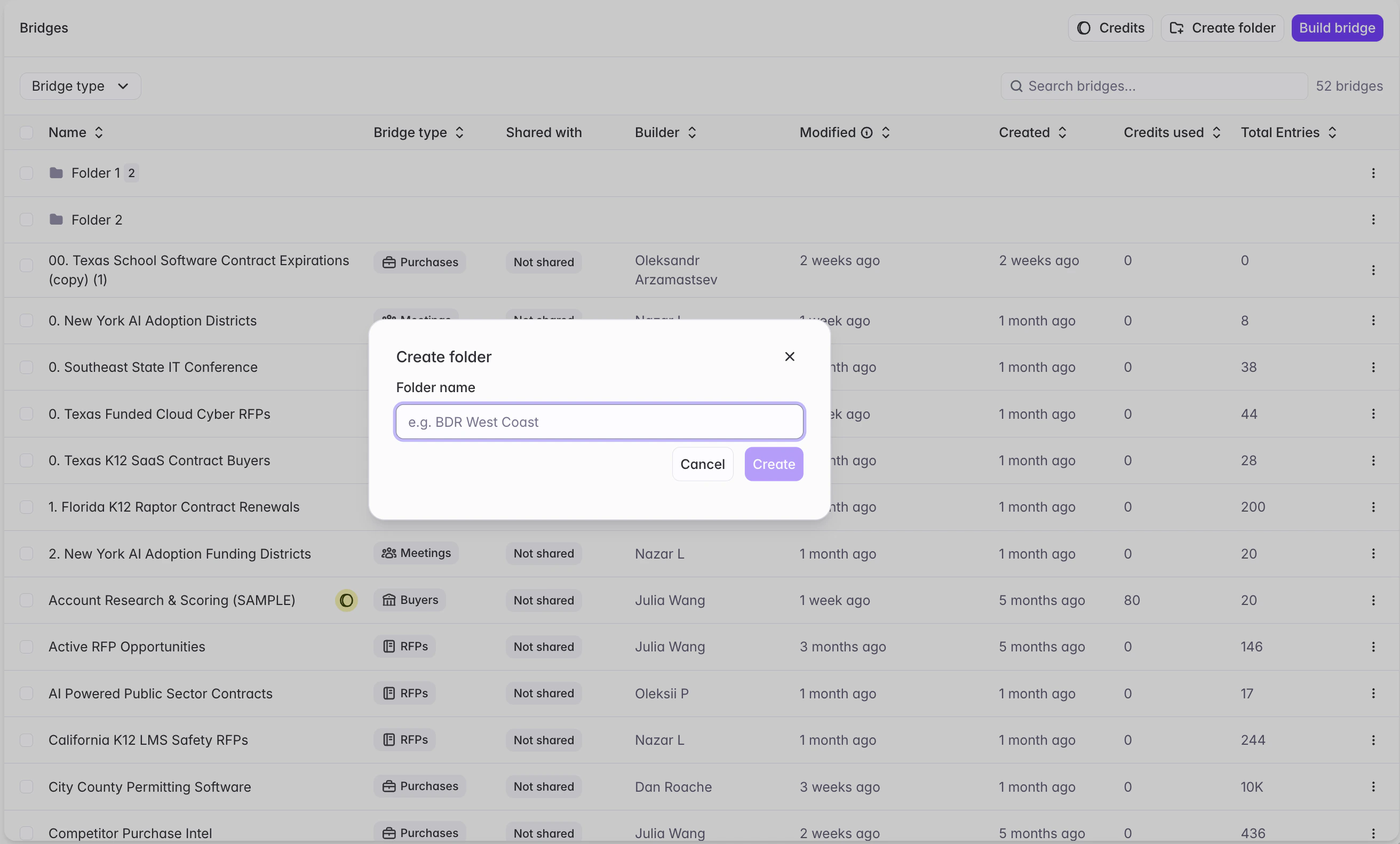
Creating a Conferences Bridge
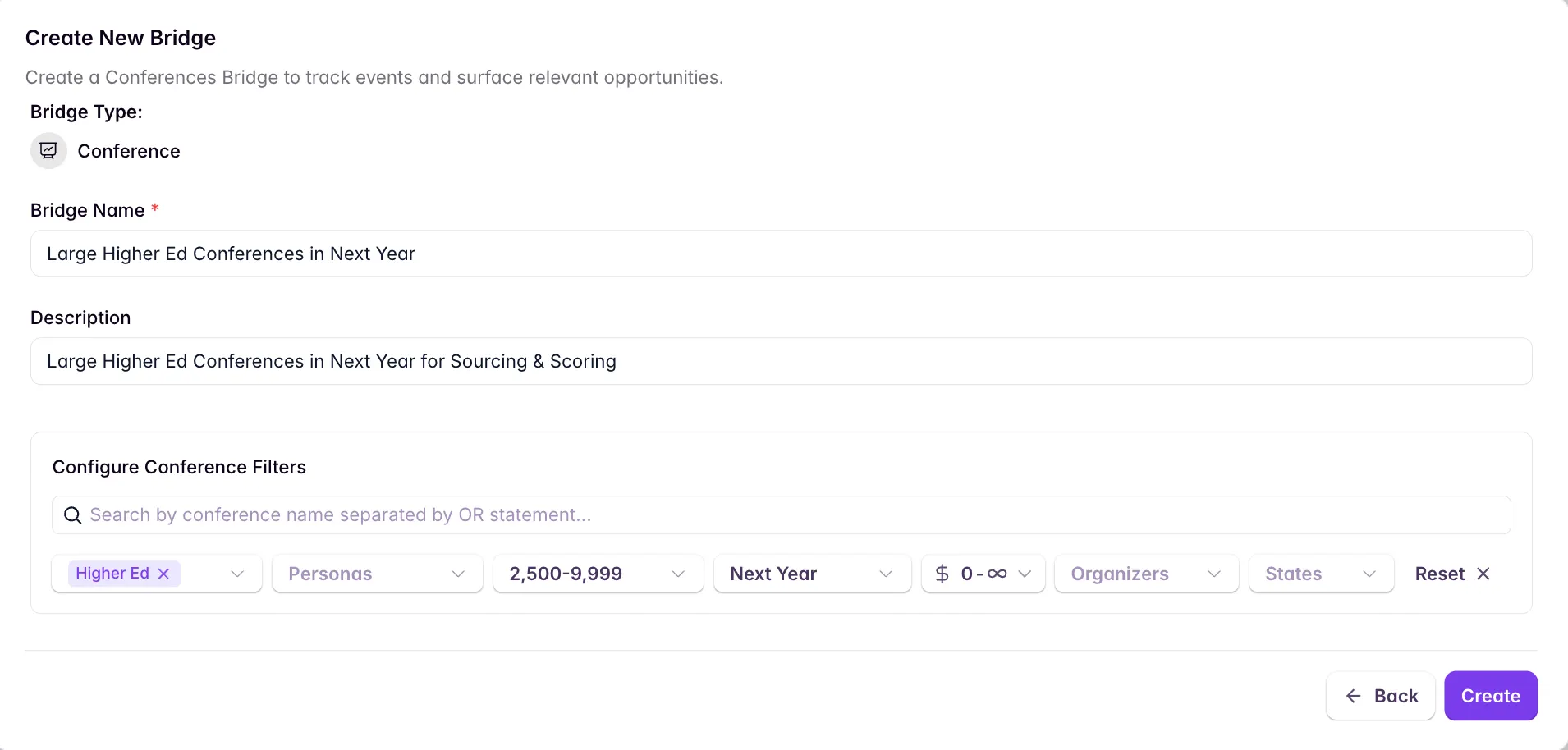
Turn your conference searches into Conferences Bridges to automate monitoring, scoring, and notifications for new relevant conferences.How to Create a Conferences Bridge
- Configure your filters in the Conferences signal view
- Click Create Bridge to save your search criteria
- Name your bridge (e.g., “K-12 CIO Conferences” or “Higher Ed Enrollment Conferences”)
- Configure feed subscriptions to receive alerts when new matching conferences are added
Scoring Conferences with Conference Bridges
Conference Relevance Score
Starbridge includes automated scoring capabilities to help you evaluate conference fit and prioritize your conference budget.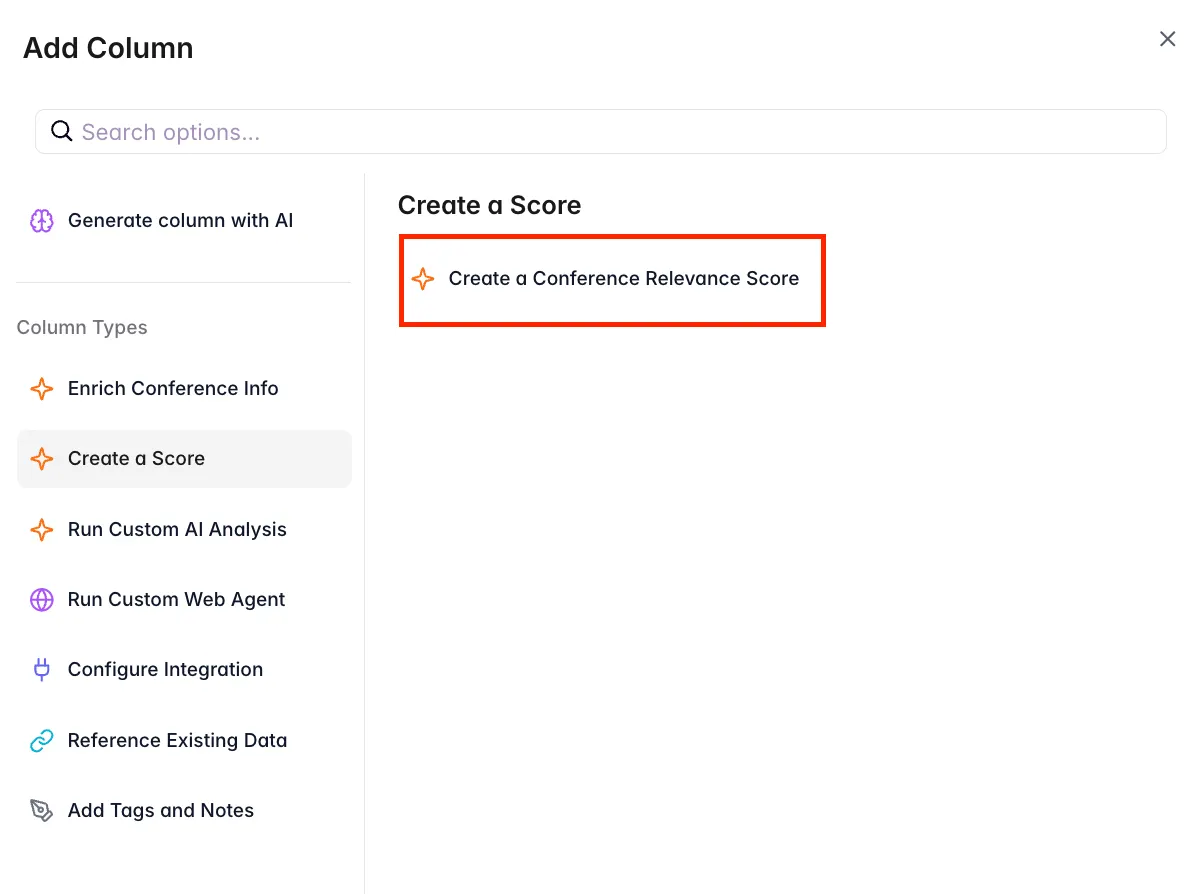
- Assess conference relevance to your ICP
- Evaluate expected ROI based on attendee personas
- Compare conferences against your business objectives
- Identify competitive presence opportunities
Custom AI Columns
Add custom AI columns to extract additional specific information:- Budget Analysis - Extract pricing and cost details
- Target Persona Match - Analyze alignment with your buyer personas
- Competitive Presence - Identify if competitors are attending or sponsoring
- Sales Positioning - Get strategic recommendations for booth messaging
Enriching Conference Lead Lists
Once you’ve identified the right conference to attend, Starbridge helps you enrich attendee lists to optimize lead generation. Enriching your conference lead list is very similar to contact enrichment, except you can also access information about the conference to further power your analysis.Creating a Conference Lead Enrichment Bridge
You can create a conference lead enrichment bridge for conference attendees in three ways:- Option 1: From the Conferences Details Page
- Option 2: From an existing Conferences Bridge
- Option 3: From "Bridges"
-
Click the Enrich Lead List button on any conference details page
- Upload your CSV file which has the attendee information
- The conference will automatically be linked to your lead enrichment bridge
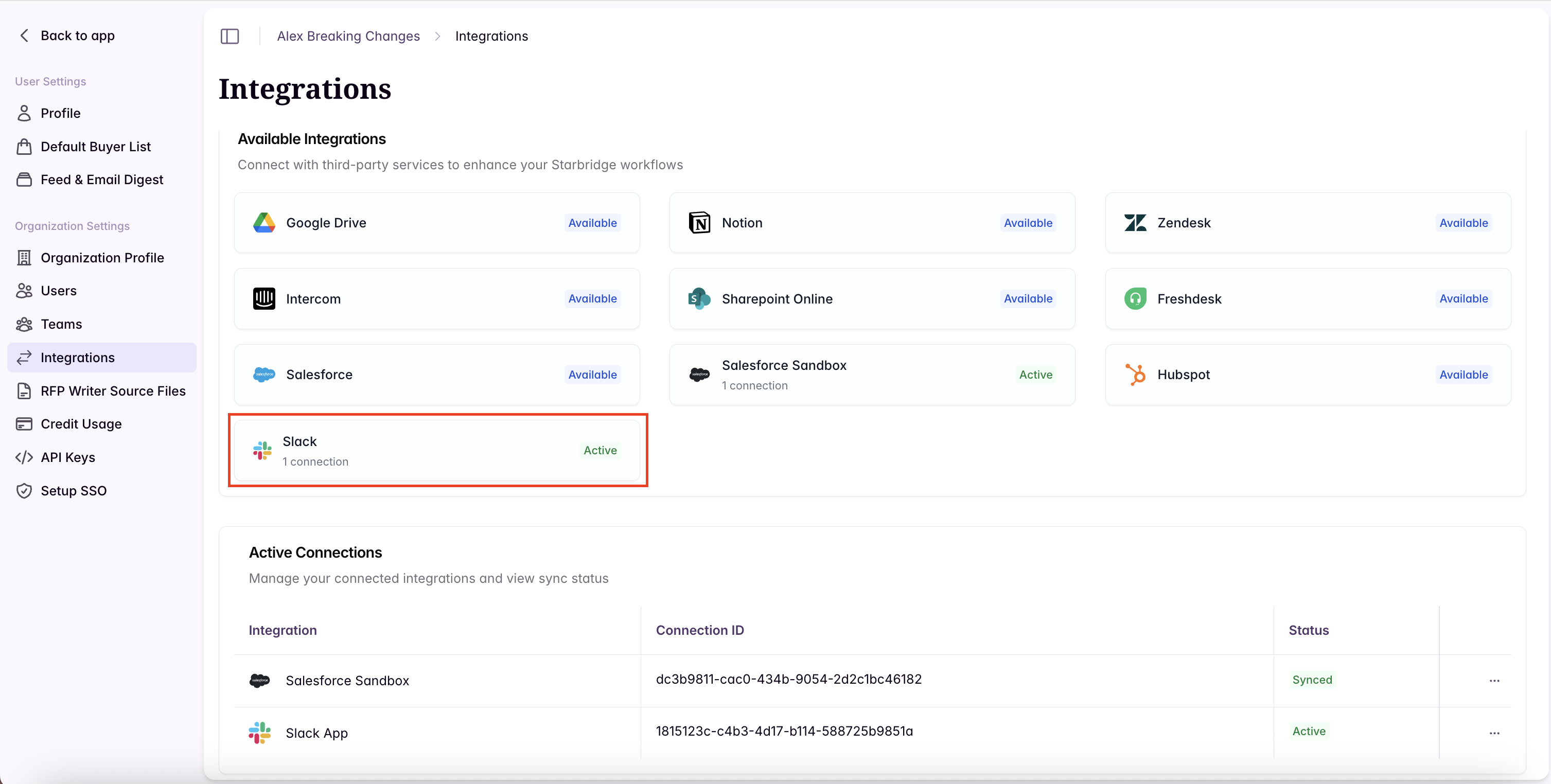
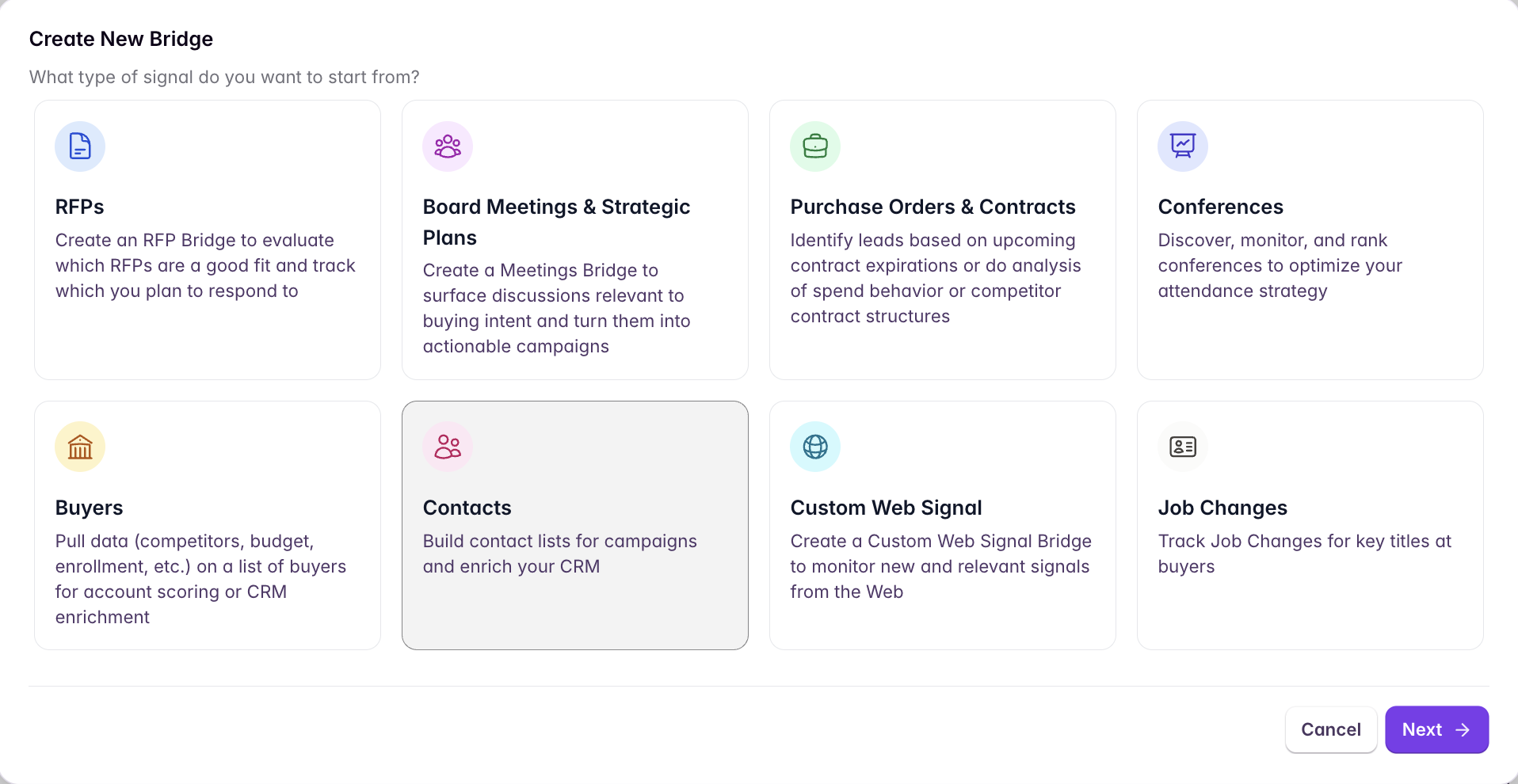
If you enrich your conference lead list directly from a conference, you can identify which contact enrichment bridges were created from conference lead lists by looking for the “Conference” tag in your list of bridges.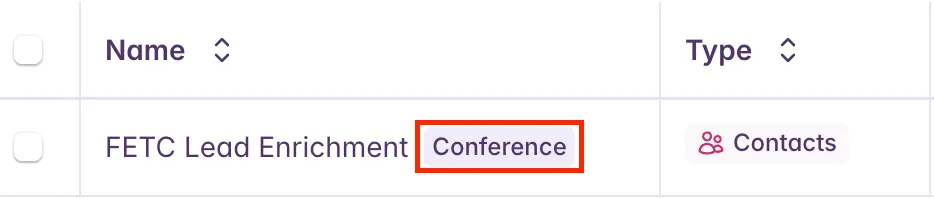
Uploading Custom Columns for Better Scoring & Personalization
Starbridge supports uploading custom columns from your conference leads CSV when enriching leads to enable more sophisticated scoring and personalized outreach.Value of Custom Columns
Examples of useful custom columns:- Notes - Internal notes about specific attendees or their interests
- Session Attending - Which conference sessions they registered for
- Booth Visit Notes - Notes from conversations at your booth
- Lead Score - Your existing internal scoring
- Product Interest - Specific products or solutions they expressed interest in
- CRM ID - Unique identifiers from HubSpot, Salesforce, or other systems
- Better Lead Scoring - Reference your conversation notes or session attendance in AI scoring prompts
- Personalized Outreach - Use custom fields to craft highly personalized messaging
- CRM Sync - Maintain CRM identifiers to sync enriched data back to your system
Uploading Custom Columns
- Include your custom columns in the CSV file alongside the required fields
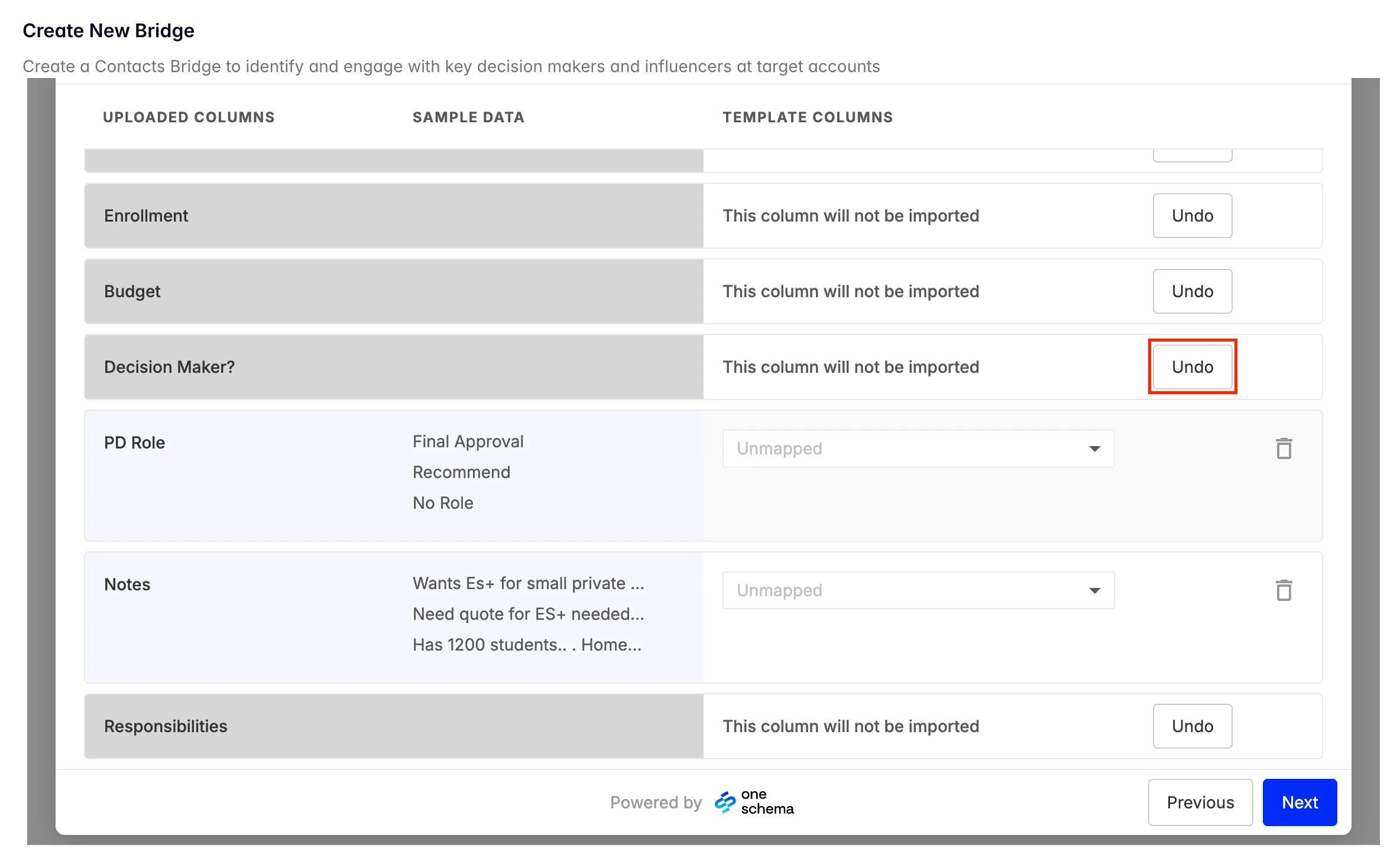
- When mapping columns for contact enrichment, by default, custom columns will be “Unmapped” - click “Undo” next to the custom columns you would like to keep in your CSV / bridge
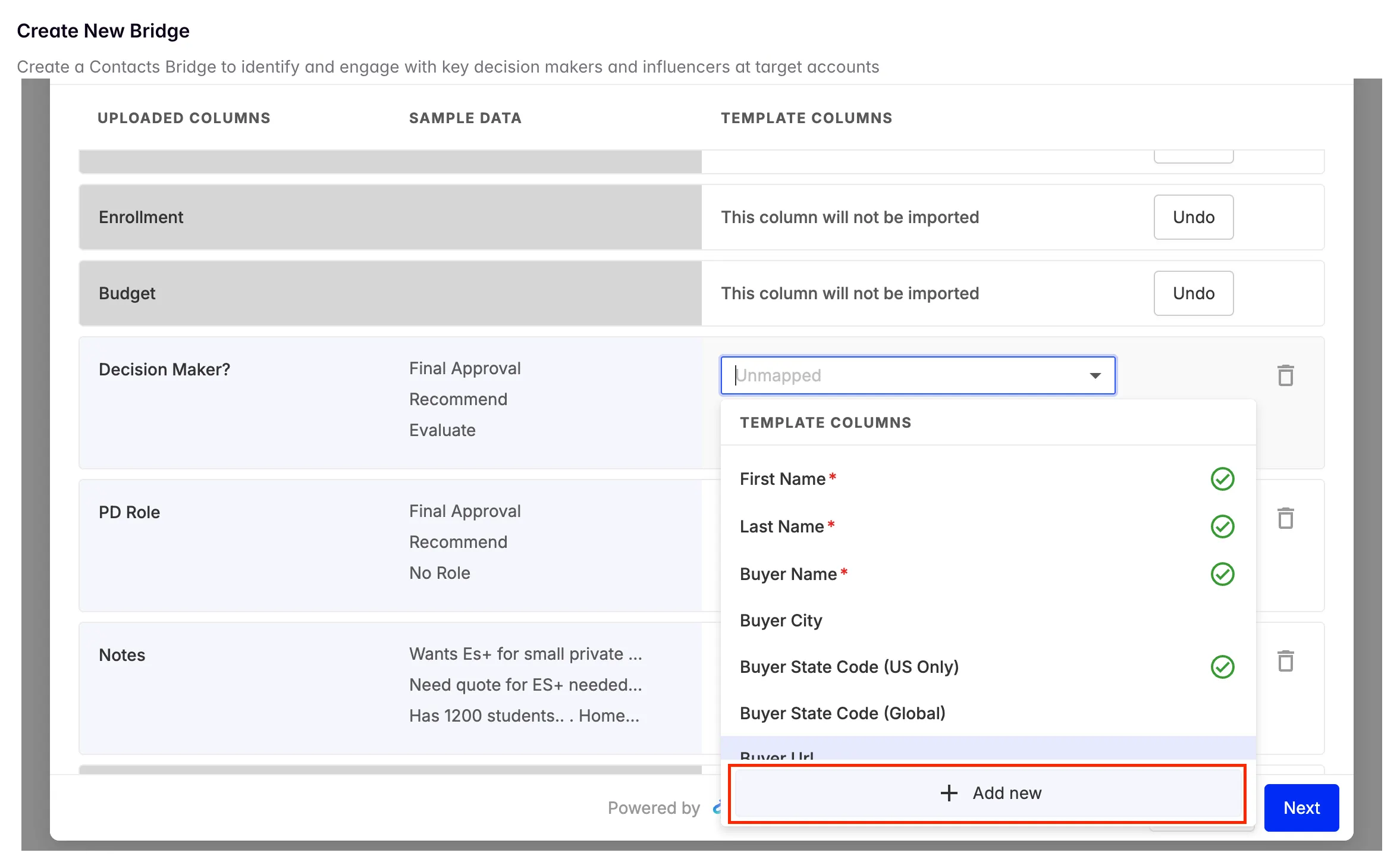
- Select the “+ Add new” option when choosing which column to map to
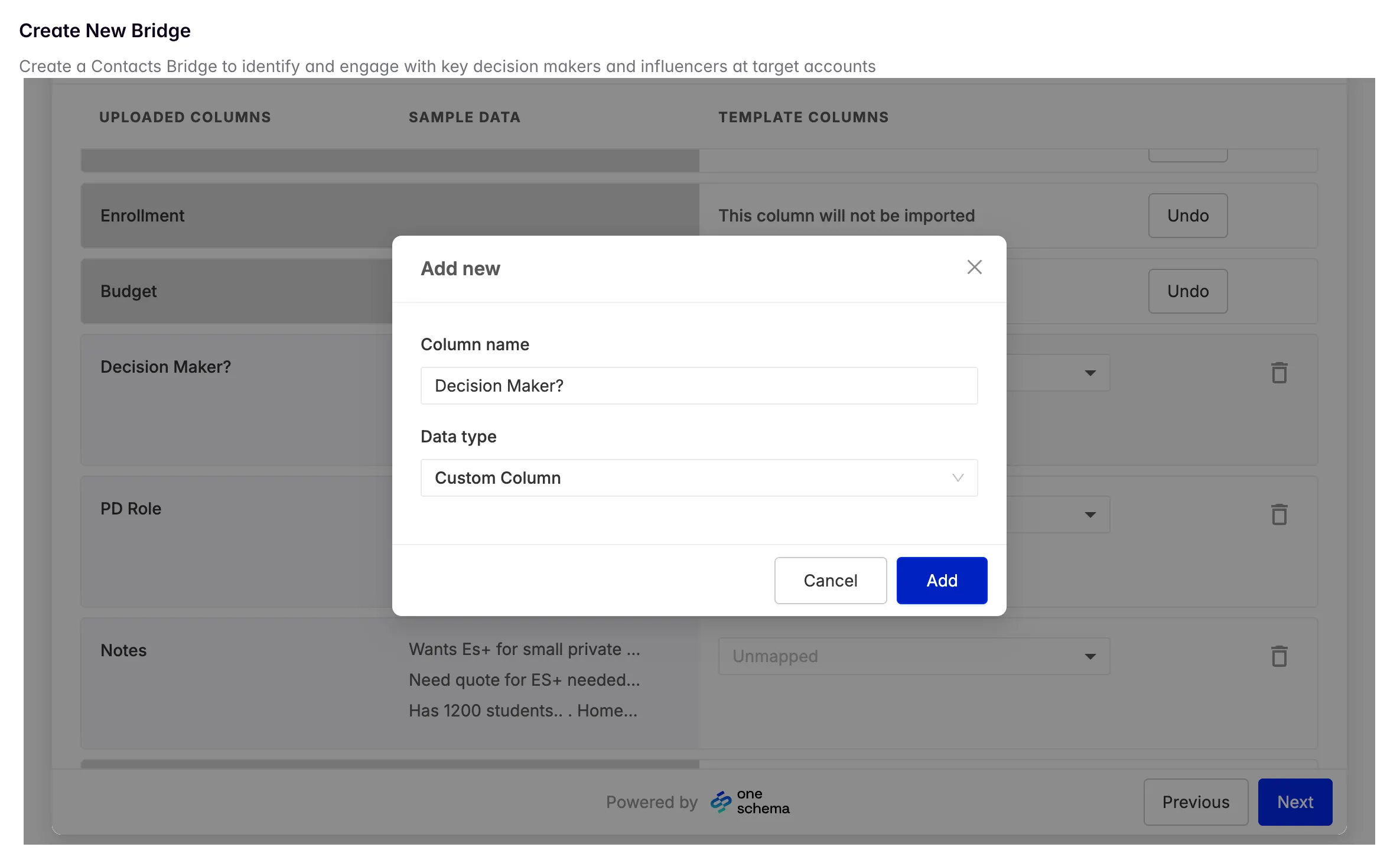
- Specify the name of your custom column. Keep the Data type as “Custom Column”
- After your conference lead enrichment bridge is created, your custom columns will be included as columns in the bridge.
Using Conference Attributes for Scoring & Personalization
Because your conference lead enrichment bridge is linked to a specific conference, you can reference conference-specific attributes in your AI columns.Available Conference Attributes
When creating AI columns in your conference lead enrichment bridge, you can reference conference attributes to further enrich your analysis. To access these attributes, simply type “@” and the name of the conference attribute you’d like to use.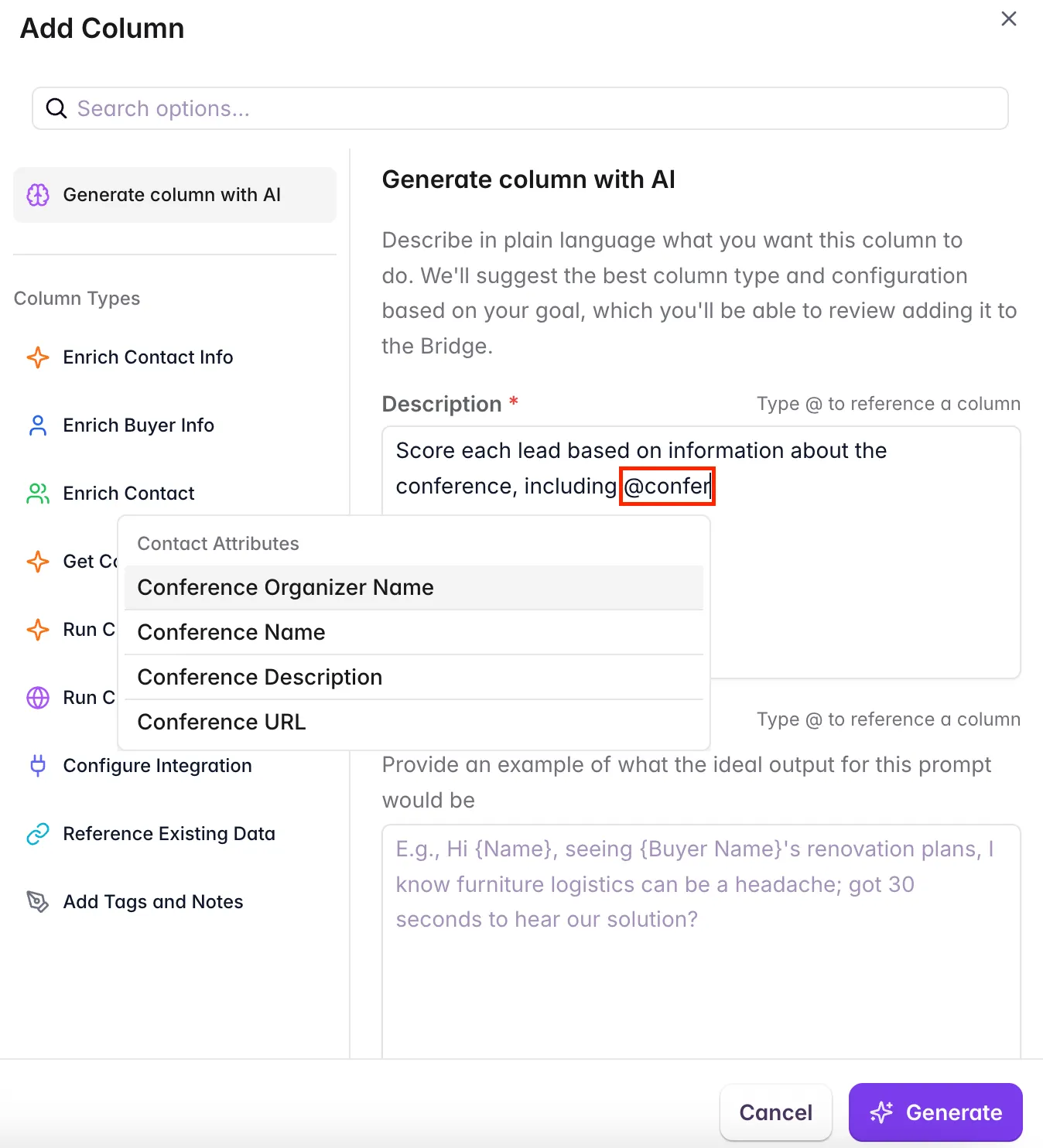
Example Use Cases
- Personalized Email Outreach: Create an AI column that drafts personalized follow-up emails mentioning the specific conference and sessions, any notes from conversations at the conference, and signals relevant to that account
- Conference-Specific Lead Scoring: Score leads based on factors such as title, custom notes (ex: conversations from the conference), account attributes (ex: propensity to spend), and signals
- Sales Positioning: Generate talking points that reference conference themes, account pain points, and signals
Common Workflows & Best Practices
Workflow 1: Discover and Score Conferences
- Navigate to Signals → Conferences
- Filter by your target personas and verticals
- Create a Conferences Bridge to save your search
- Add AI scoring columns to evaluate conference fit
- Subscribe to feed notifications for new matching conferences
- Review scored conferences periodically to plan your conference calendar
Workflow 2: Pre-Conference Lead List Enrichment
- Identify your target conference in the Conferences signal
- Click “Enrich Lead List” from the conference details page
- Upload your pre-conference attendee list CSV (with any custom columns for more precise scoring)
- Add AI columns to score leads and identify priority accounts
- Add personalization columns that reference conference attributes, signals, and buyer attributes
- Export your enriched list to CRM or use for targeted outreach
Workflow 3: Post-Conference Follow-Up
- Upload your post-conference CSV with booth visit notes in a custom column for maximum personalization
- Use AI columns to prioritize hot leads based on buyer attributes, signals, and conversation notes
- Generate personalized follow-up messaging referencing specific discussions
- Sync results back to CRM using your CRM ID column, and sync follow-up emails to your outbound sequencer