

The Personalized Outbound Email Column allows you to create personalized, ready-to-send emails directly within your bridges. Write your own email copy and enhance it with dynamic variables and AI-generated personalized snippets.Documentation Index
Fetch the complete documentation index at: https://hc.starbridge.ai/llms.txt
Use this file to discover all available pages before exploring further.
Overview
The Personalized Outbound Email Column helps you:- Compose emails with your own static copy to stay true to your branding and tone, or have Starbridge’s AI generate a first draft based on your input
- Include AI snippets that generate personalized content for each signal
- Add variables like first name or buyer name to further personalize your email
How to Add a Personalized Outbound Email Column
- Open your Bridge and click Add Column
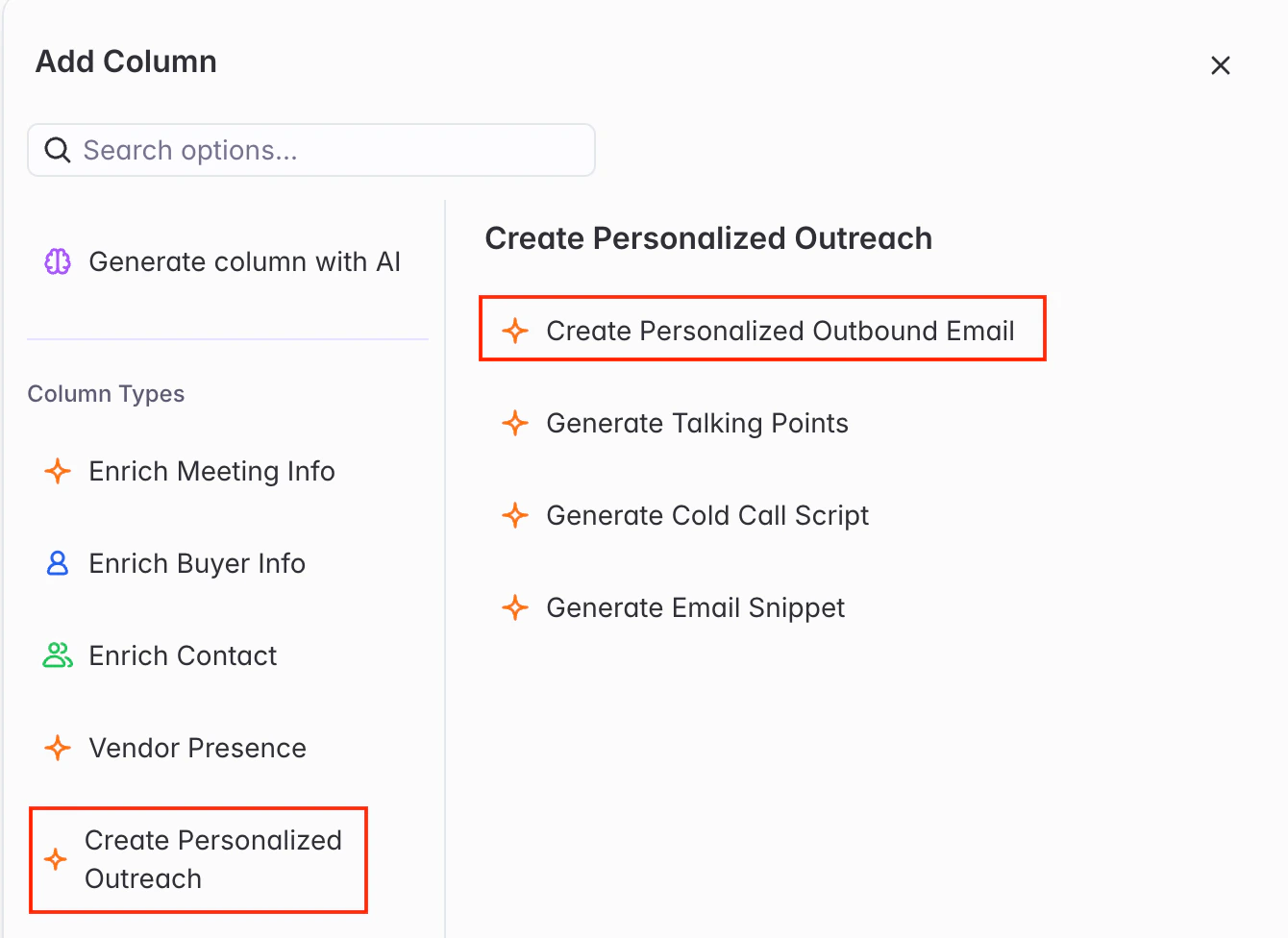
- Select Create Personalized Outreach → Create Personalized Outbound Email from the column menu
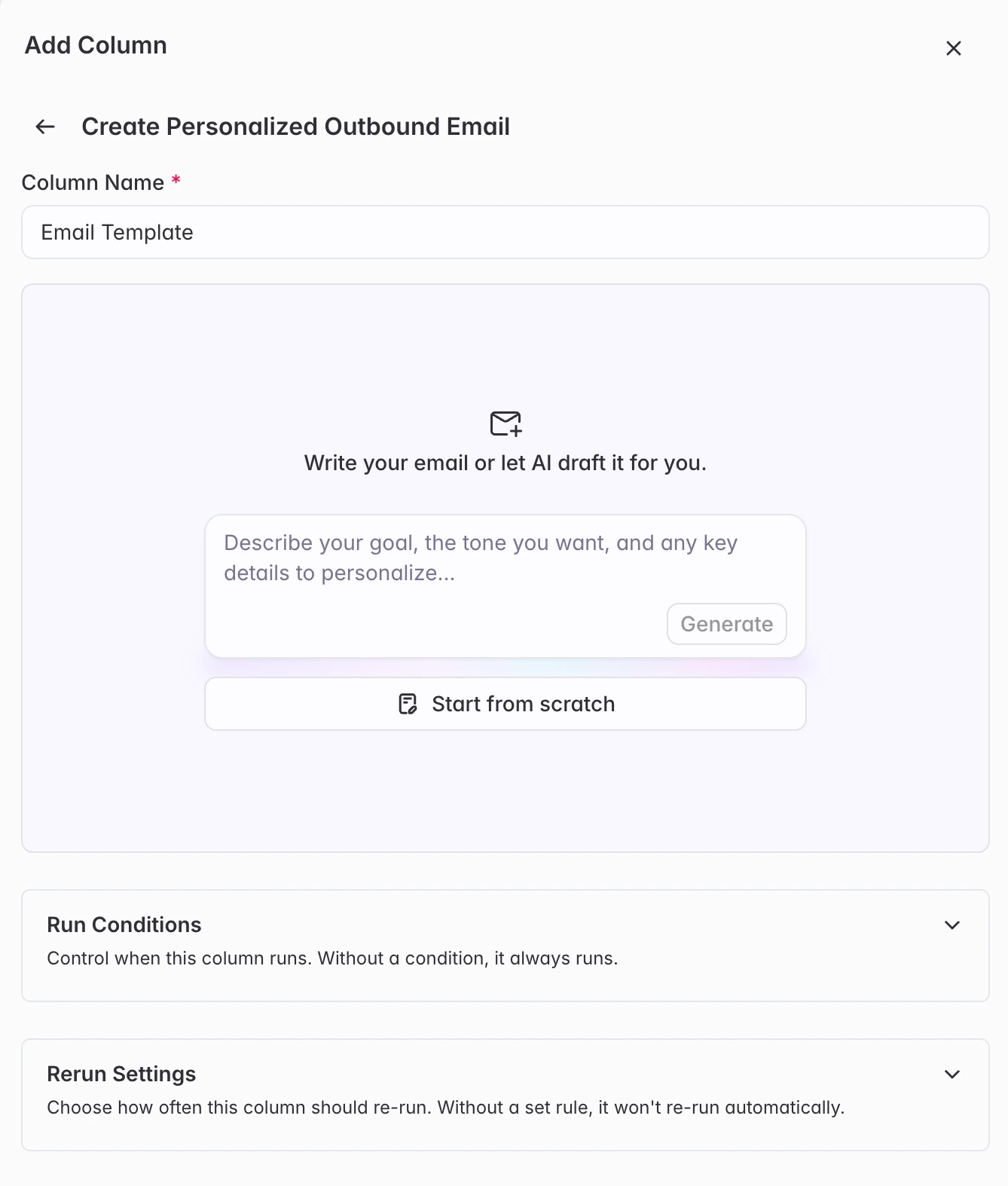
- Decide whether you want to have Starbridge’s AI draft the email for you, or build it yourself from scratch. If you’d like AI to draft your email for you, provide guidance around the goal of the meeting (ex: book a meeting) and any other information you’d like included.
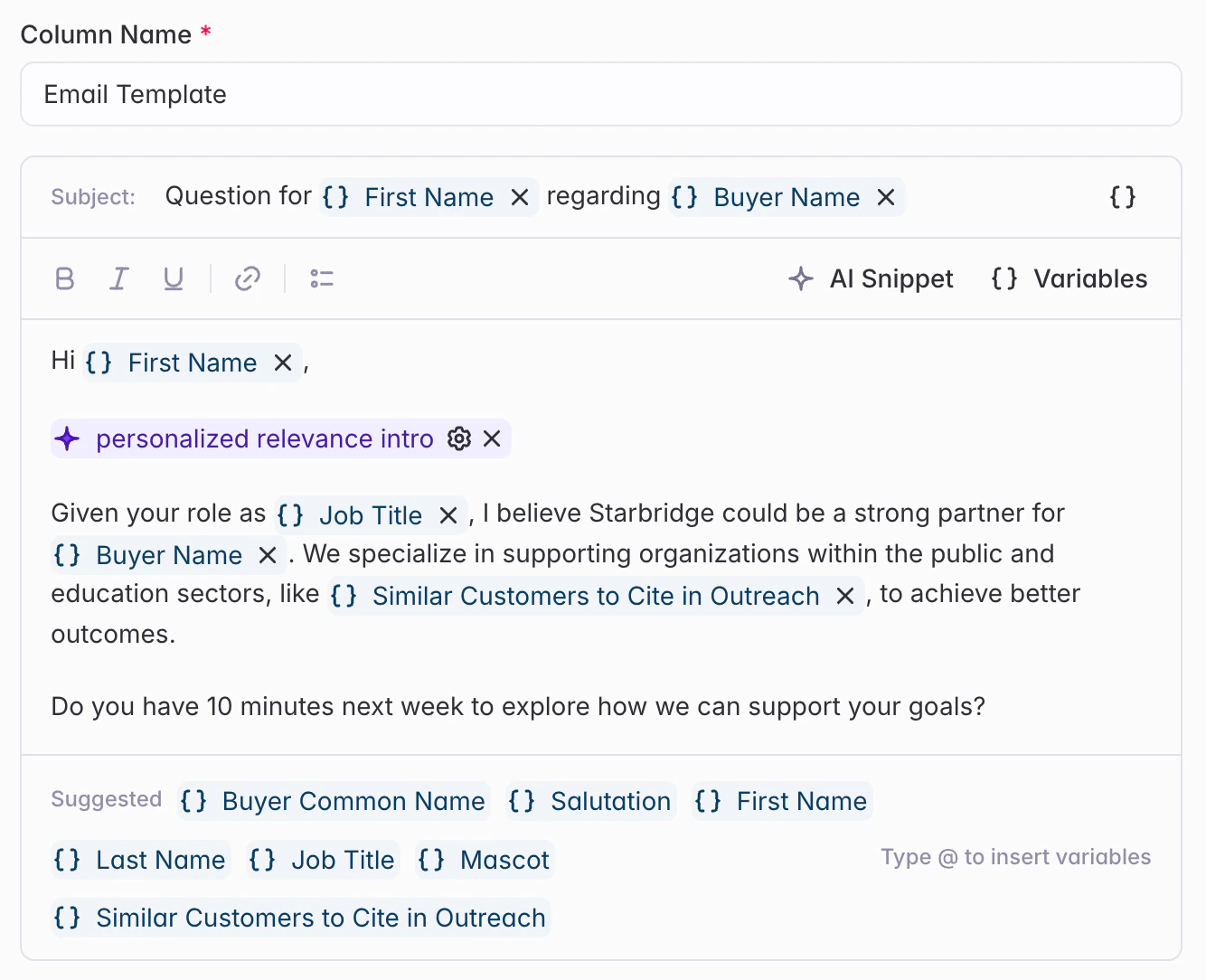
- Once you’re in the email editor itself, you’ll see two fields to configure:
- Subject Line – Write your email subject line
- Email Body – Compose your email message
Building Your Email
Your email can include three types of conten- Static Text
- Variables
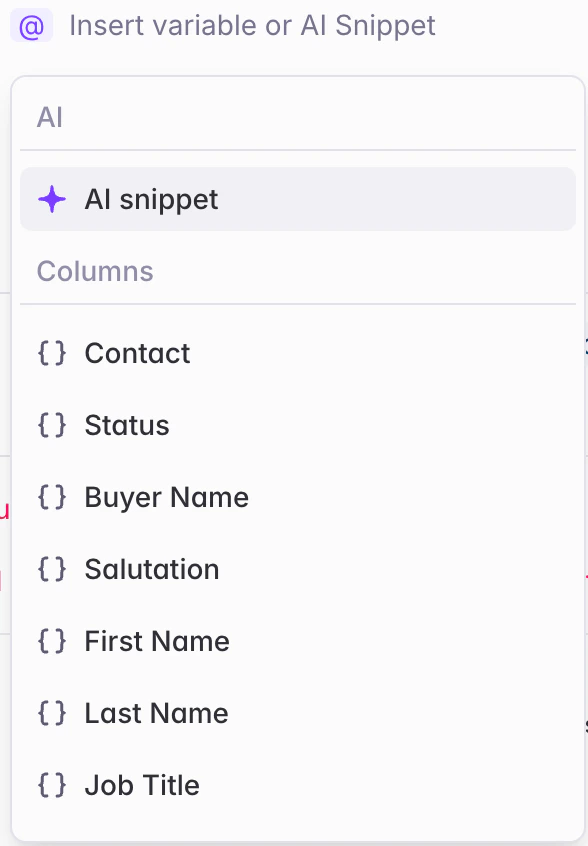
- AI Email Snippets
Type your email copy directly. This text will appear exactly as written in every email.Example:
I wanted to reach out to see if you’d be open to connecting.
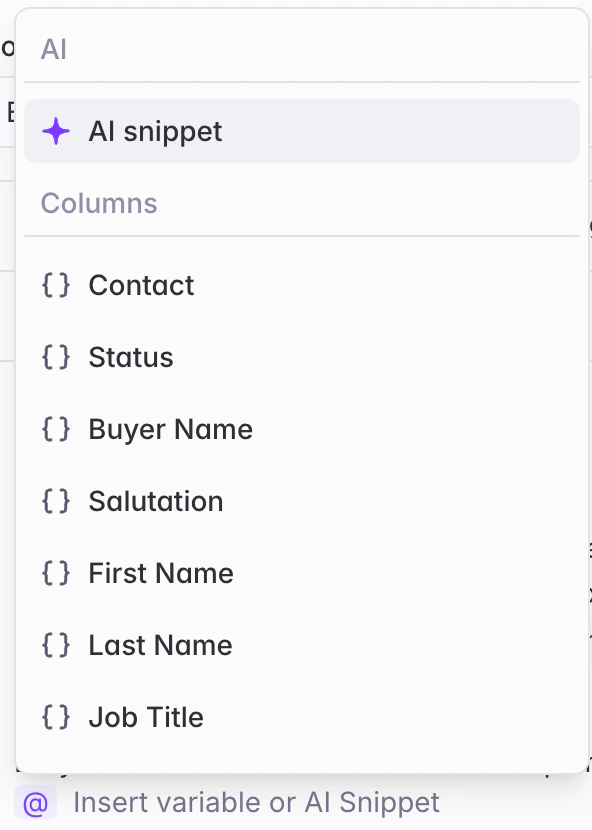
AI Email Snippet Best Practices
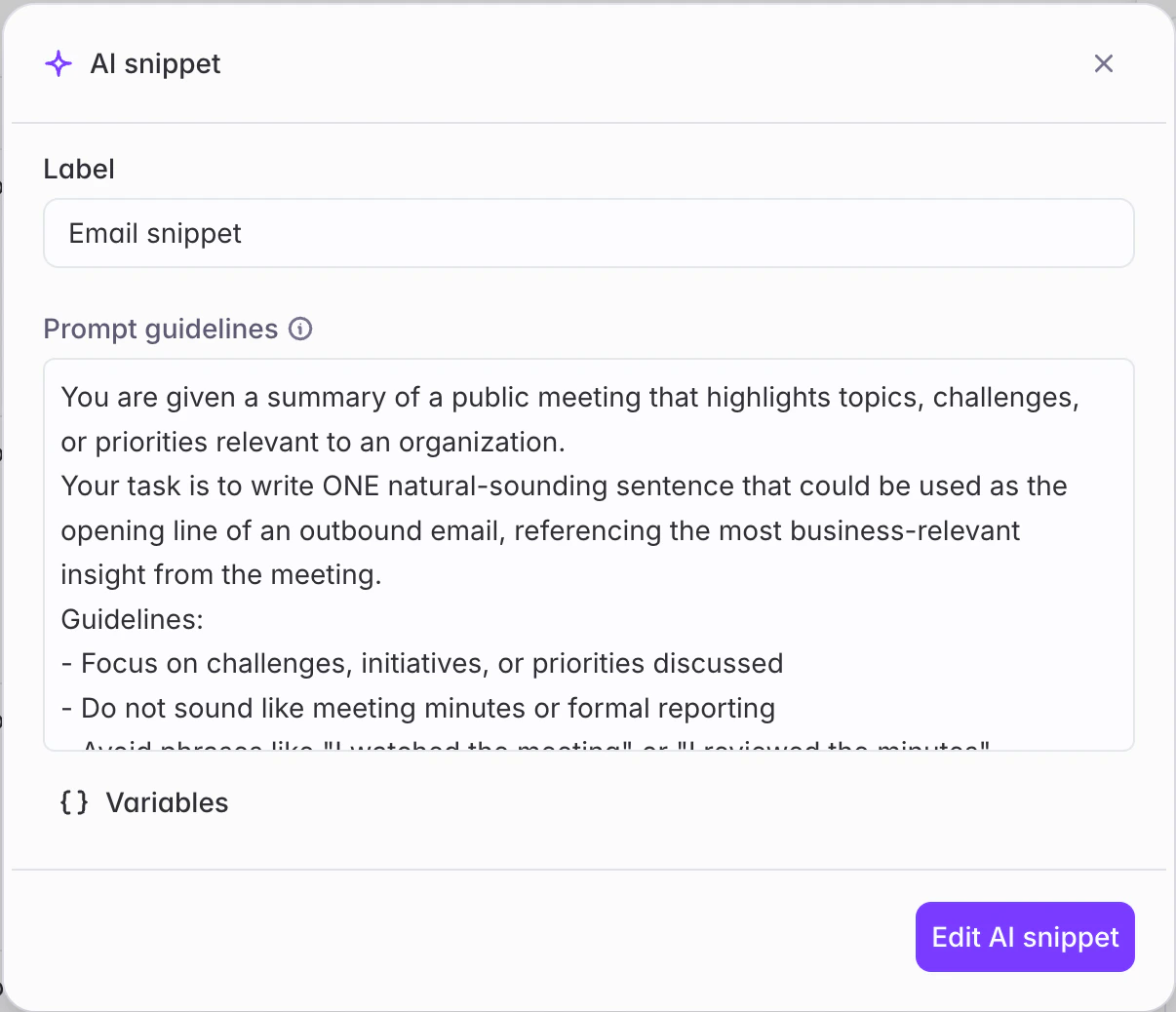
When you add an AI Snippet:
Tips for effective AI snippet prompts:
Be specific: “Write one sentence mentioning the budget challenges discussed”
Set length guidelines: “Keep under 50 words” or “Write 1-2 sentences”
Define tone: “Write conversationally” or “Keep it professional”
Directly reference the signal, attribute, or bridge column: “Based on meeting @Summarized Relevance , write a 1-2 sentence opening” or “Congratulate them on their new @Job Change”
Avoid vague prompts: “Make it good” or “Personalize this”
Running your Personalized Outbound Email Column
After configuring your email:Preview your email by running it on the first 5 rows
Test your template before running all rows to make sure you’re happy with the email and snippets. Make any edits to your snippet prompts as needed.Once you’re happy with your email, run the column on all rows.
Select how you'd like the email column to be outputted in your bridge
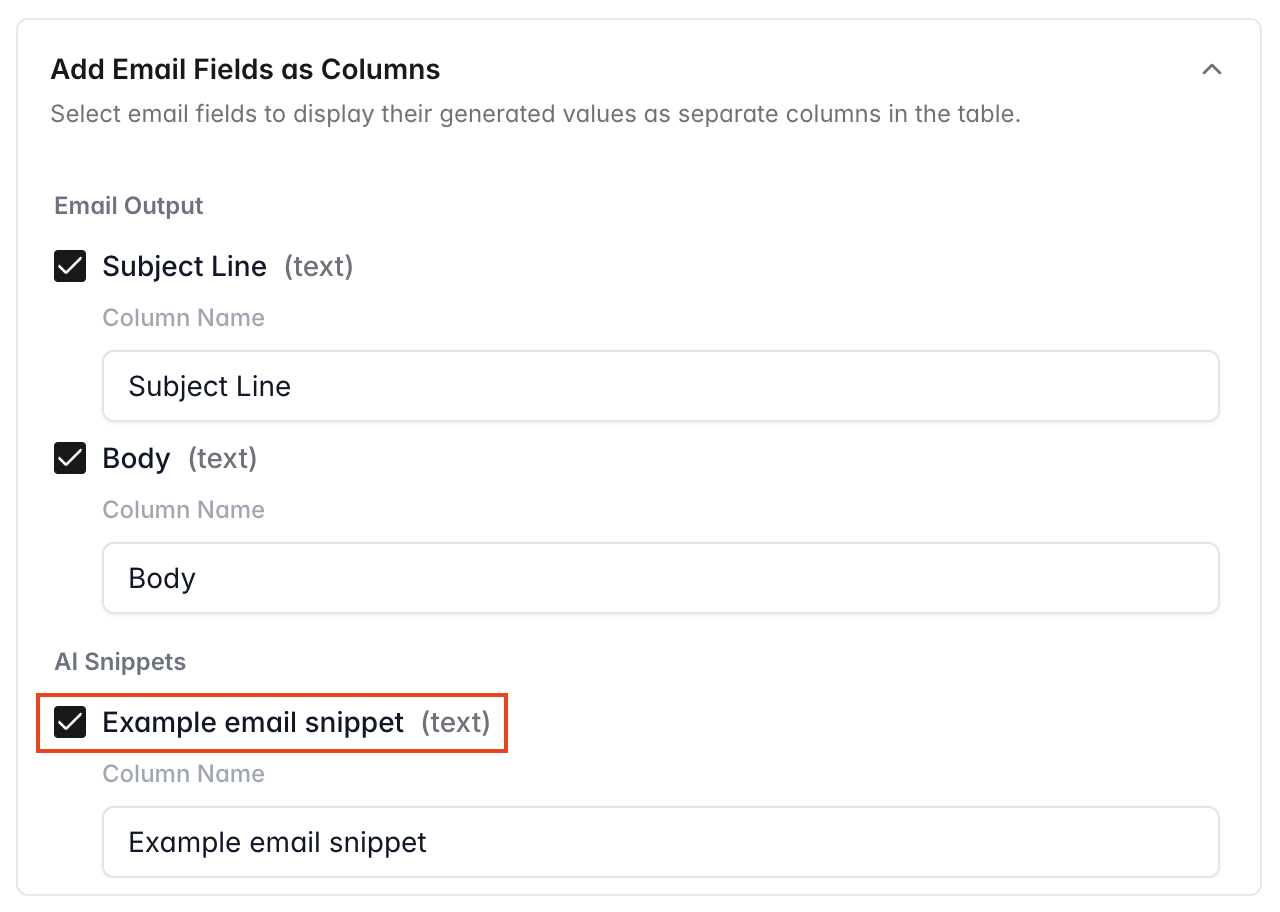
By default, it will be outputted as 3 columns:
- Consolidated email (with subject line, email, and any AI Email Snippets in 1 column)
- Subject line
- Email Body
- Additionally output individual AI Email Snippets as separate columns by checking the email snippet option in the “Add Email Fields as Columns” section of the column editor
- Only show the consolidated email column by unchecking the subject line, email body, and email snippet fields in the section above
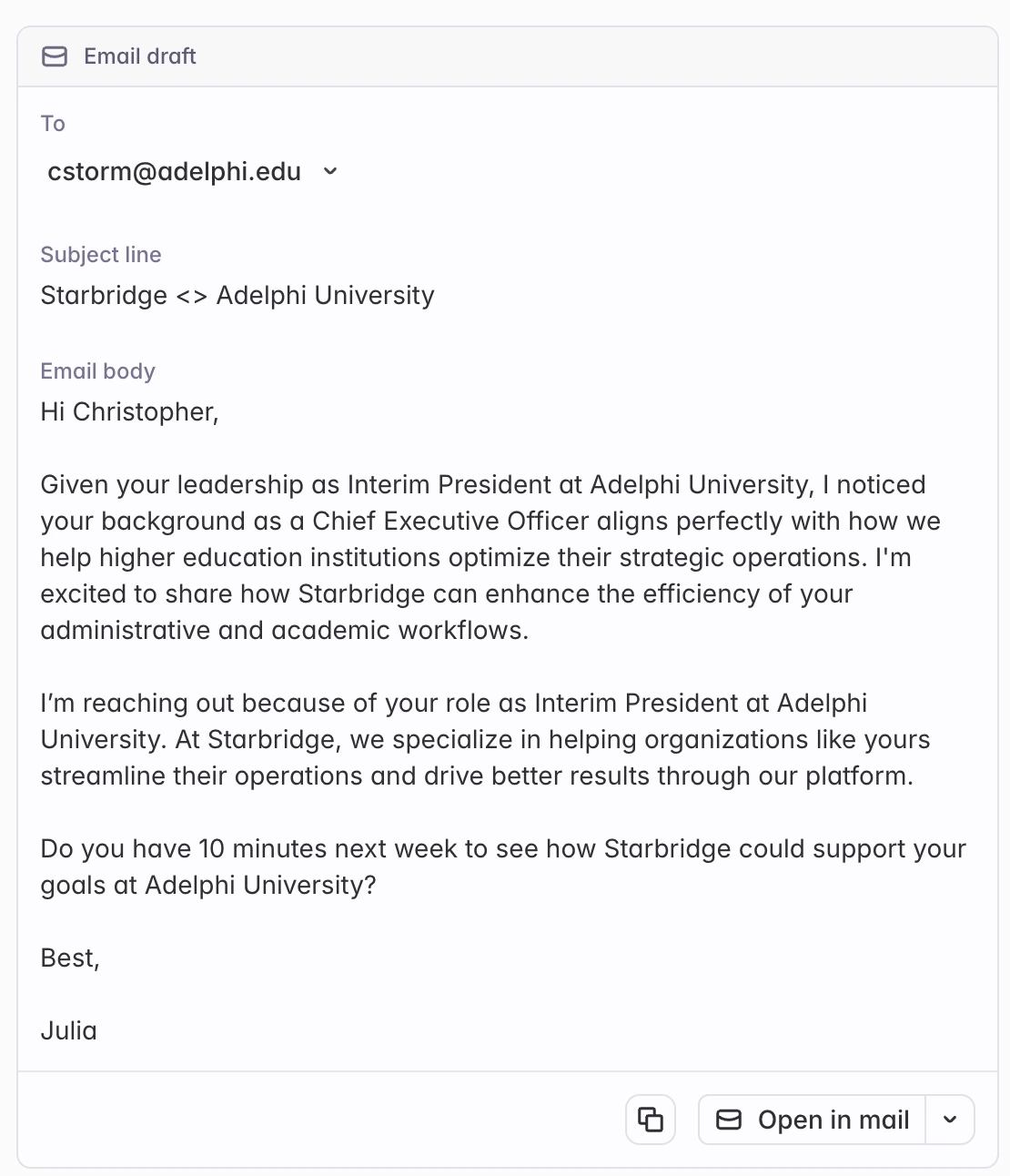
Once your email has fully generated for your bridge, you can send it to your email client of choice, or export it to your CRM or outbound sequencer tool.
- Click the Open in mail button for each signal on your feed or within your bridge to send the email in your email tool of choice
- Export the subject line, body, and/or snippets to your CRM or sequencer via our CRM integration or CSV export
Example Emails
Meetings Bridge
Meetings Bridge
Subject Line:
/[AI Snippet: “Write a 3-5 word subject line referencing the main topic discussed in the meeting from @summarized relevance”]Email Body:
Hi @First Name, /[AI Snippet: “Write 2-3 sentences referencing specific challenges or initiatives mentioned in the meeting from @Summarized Relevance and positioning them as something we can help with”] I’d love to share how we’ve helped organizations like @Buyer Common Name tackle similar challenges. Would you be open to a brief conversation? Best, [Your name]
Purchases / Contracts Bridge
Purchases / Contracts Bridge
Subject Line:
Your @Seller Name contractEmail Body:
Hi @First Name, I noticed your contract with @Seller Name is ending soon. /[AI Snippet: “Ask conversationally if the buyer has started looking at alternatives for contract/product in @Purchase, and/or mention upcoming contract expiration if @Contract End Date is coming up soon. Use information from @Summary.”] We’ve helped organizations like @Buyer Common Name optimize costs and improve outcomes. Happy to share more if you’re evaluating options. Best, [Your name]
Job Changes Bridge
Job Changes Bridge
Subject Line:
Congrats on the new role at @Buyer Common NameEmail Body:
Hi @First Name, /[AI Snippet: “Write one sentence congratulating this person on their new role based on @Job Change.”] I’d love to share how we’re helping other leaders in similar roles. Open to a quick conversation? Best, [Your name]
Custom Web Signals Bridge
Custom Web Signals Bridge
Subject Line:
/[AI Snippet: “Write a 3-5 word subject line referencing the most relevant finding from the specific signal or event mentioned in @Signal Finding”]Email Body:
Hi @First Name, /[AI Snippet: “Write 2 sentences referencing @Signal Finding and why it’s relevant to them. Be conversational and show you’ve done your research.”] I’d love to connect and share how we’ve helped organizations like @Buyer Common Name with similar initiatives. Would you be open to a brief chat? Best, [Your name]
Buyer Bridge
Buyer Bridge
Subject Line:
Thought of @Buyer Common NameEmail Body:
Hi @First Name, /[AI Snippet: “Write 2-3 sentences explaining why we’re reaching out to this specific @Buyer based on their profile, industry, or recent activity. Reference any relevant buyer attributes or signals from cross-referenced bridges.”] We work with organizations like @Buyer Common Name to [your value proposition]. Would you be interested in learning more? Best, [Your name]
Contacts Bridge
Contacts Bridge
Subject Line:
Quick question for @Buyer NameEmail Body:
Hi @First Name, I’m reaching out because of your role as @Job Title at @Buyer Common Name. /[AI Snippet: “Write 1-2 sentences about why this person’s @Job Title makes them a good fit for our solution”] Would you have a few minutes to connect? Best, [Your name]
RFP Bridge
RFP Bridge
Subject Line:
Re: Your Posted RFPEmail Body:
Hi @First Name, I saw that @Buyer Common Name recently posted an RFP with a due date of @Due Date. /[AI Snippet: “Write 1-2 sentences explaining how our solution aligns with the specific requirements mentioned in @RFP @Summary”] I’d love to schedule a brief call to discuss how we can support your goals. Would you have 15 minutes this week? Best, [Your name]
Conferences Bridge
Conferences Bridge
Subject Line:
Following up from @ConferenceEmail Body:
Hi, I saw that you’ll be at @Conference Name in @City. /[AI Snippet: “Explain in one sentence why @Conference @Conference Description is relevant to their work based on the conference focus areas”] I’d love to connect while you’re there to discuss how we’re helping similar organizations. Would you have 15 minutes for a quick coffee? Best, [Your name]